Hi everyone,
antMan 4.2 is out. It's the antMan you know, on Ubuntu Server 24.04 LTS, with tighter security and a lot of polish in networking and the installer. Everything you need to install it, or move over from antMan 3, is in one place, as before: antman4.antsle.com
What's new in 4.2
- A safer API. antMan's API now only answers browsers on your local network and
*.antsle.us, so multi-node management keeps working, and "log out everywhere" now takes effect right away, with no restart needed.
- Bridging is opt-in, and it rolls back. The installer no longer touches your network. To give antlets their own addresses on your LAN, open Network in antMan and tick Bridged? next to br0. Your server keeps its settings (DHCP or static, routes, DNS), and if you don't click Confirm within 5 minutes, the old settings come back by themselves, even after a restart. The Network page now shows which network card each bridge uses, reports errors and counts down to the rollback.
- A smarter installer. It leaves your network, firewall and hostname alone, mirrors identical drives (NVMe or not), offers a spare SSD or NVMe as a read cache, and skips drives that are in use and tells you why. It checks Ubuntu 24.04, 64-bit and virtualization before it starts, and keeps an existing Docker as it is. Running it a second time now always picks up a fresh copy.
- Fixes: saving Network Defaults works again, port forwards work without a bridge, creating or cloning an antlet with something missing tells you what's missing, and a few API responses got cleaned up.
Coming from 4.0? 4.1, released a few days ago, also made anthilld start reliably on fresh installs and keeps your server's IP address when bridging.
How to get it
- New install, or coming from antMan 3: follow the guide at antman4.antsle.com. antMan 4 needs Ubuntu underneath, so there's no in-place upgrade from antMan 3. Back up every antlet first, then reinstall and pick Reinstall with existing serial number to keep your license. Plan on about an hour.
- Already on antMan 4: log in to your antsle as root and run
upgrade-antman 4.2.0.
Your existing license carries over, including the free Homelab plan. And if your antsle can be reached from the internet, please make sure you've changed the default antsle passwords.
Questions?
Just reply here, and we'll help. If an install goes wrong, email [email protected] and attach /var/log/el3-install.log.
Thanks for sticking with us!
— Antsle Team
Having 2 issues after upgrading my antsle one.
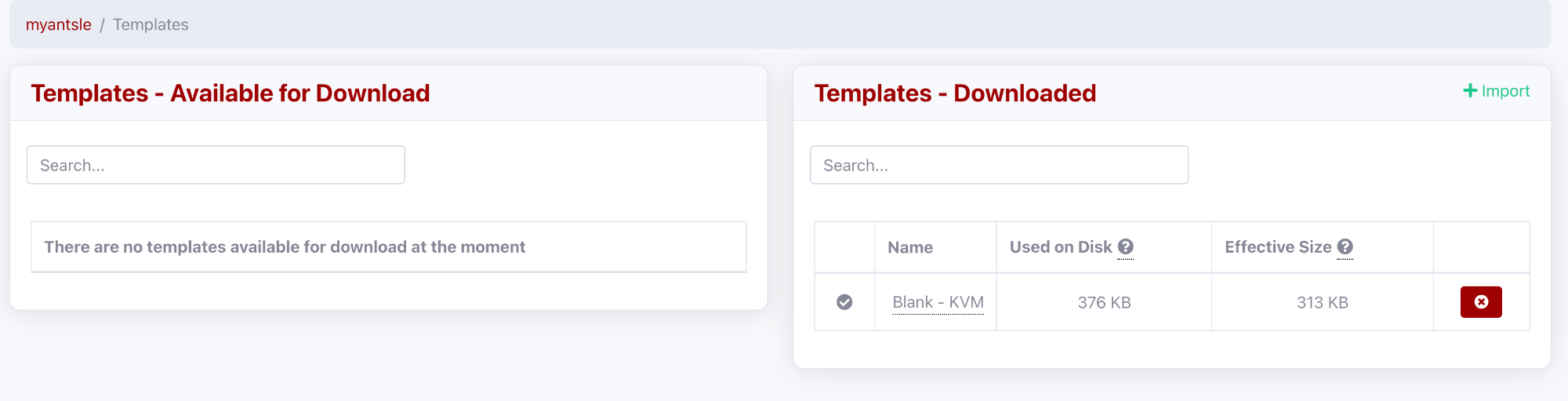
1: No Templates are available now?
2: No way to import self-managed backups of antlets?

Hi wisco24,
Templates: after the upgrade to antMan 4, the templates need to be downloaded again. Open Templates in antMan and download the ones you need. They then show up when you create an antlet.
Importing self-managed antlet backups: we'd like to debug this with you. Could you share:
- How the backups were made (antMan 3 local backups, or another way) and where they're stored now (USB drive, NAS share, a path on the antsle)
- The exact steps you took to import them in antMan 4
- Any error messages you see, word for word
- Your antMan version (shown under Settings)
- Screenshots, if you can
With that we can work out what's going on.
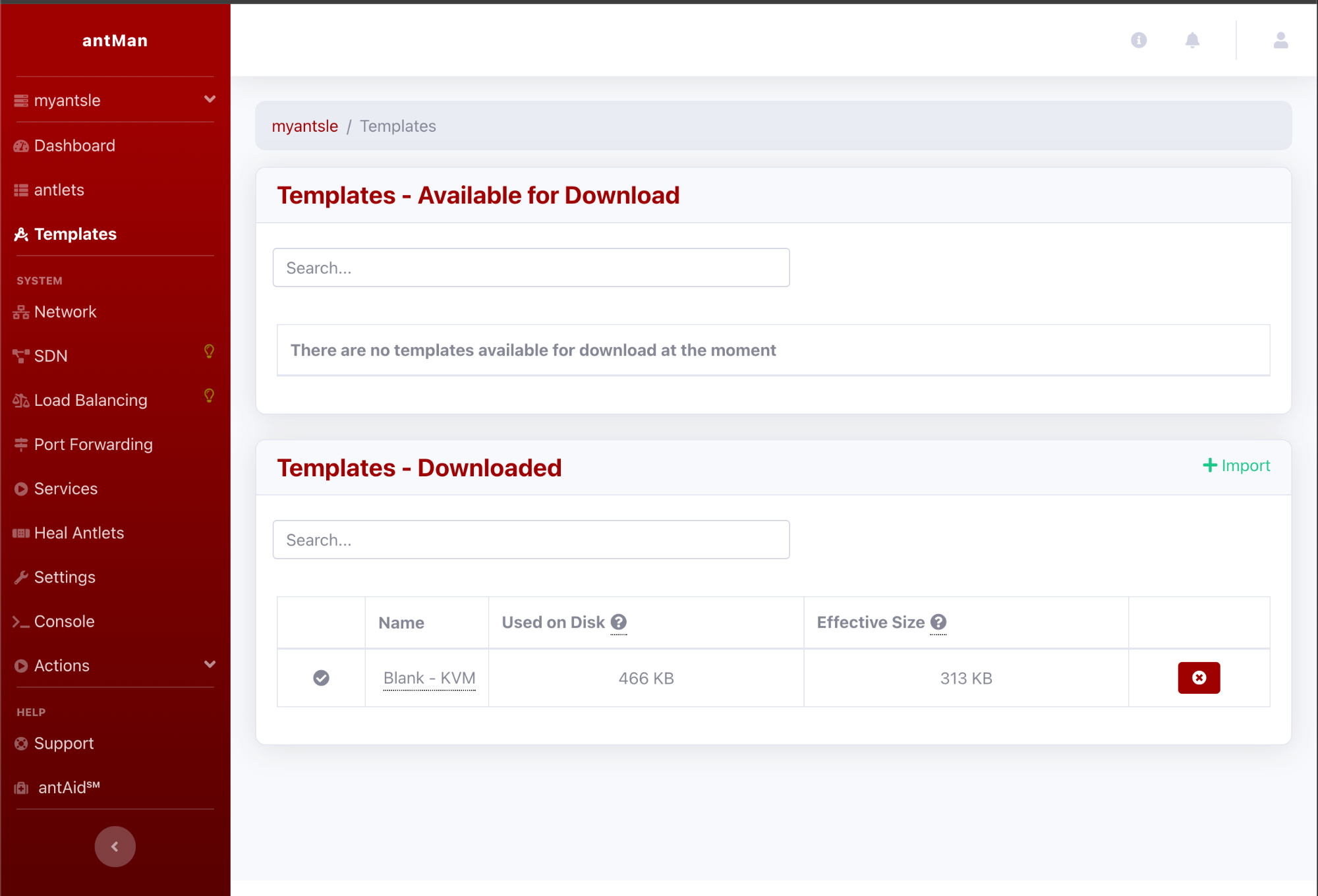
Hello... The issue is the templates don't even show as available to download! See the screenshot showing the dashboard.
Hi Eric,
Thanks for the screenshot, that helps a lot.
1. Templates
We checked the template catalog this morning: it's up and lists 56 templates for the antsle One, and the downloads are reachable. So the list exists, it just isn't reaching your antMan. In antMan 4 your browser loads the "Available for Download" list directly from central.antsle.com. If that request is blocked or doesn't run, the page simply shows "no templates available".
Please try:
- Click Dashboard, wait until it has fully loaded, then click Templates again. Or do a hard reload: Ctrl+F5, or Cmd+Shift+R on a Mac.
- In the same browser, open
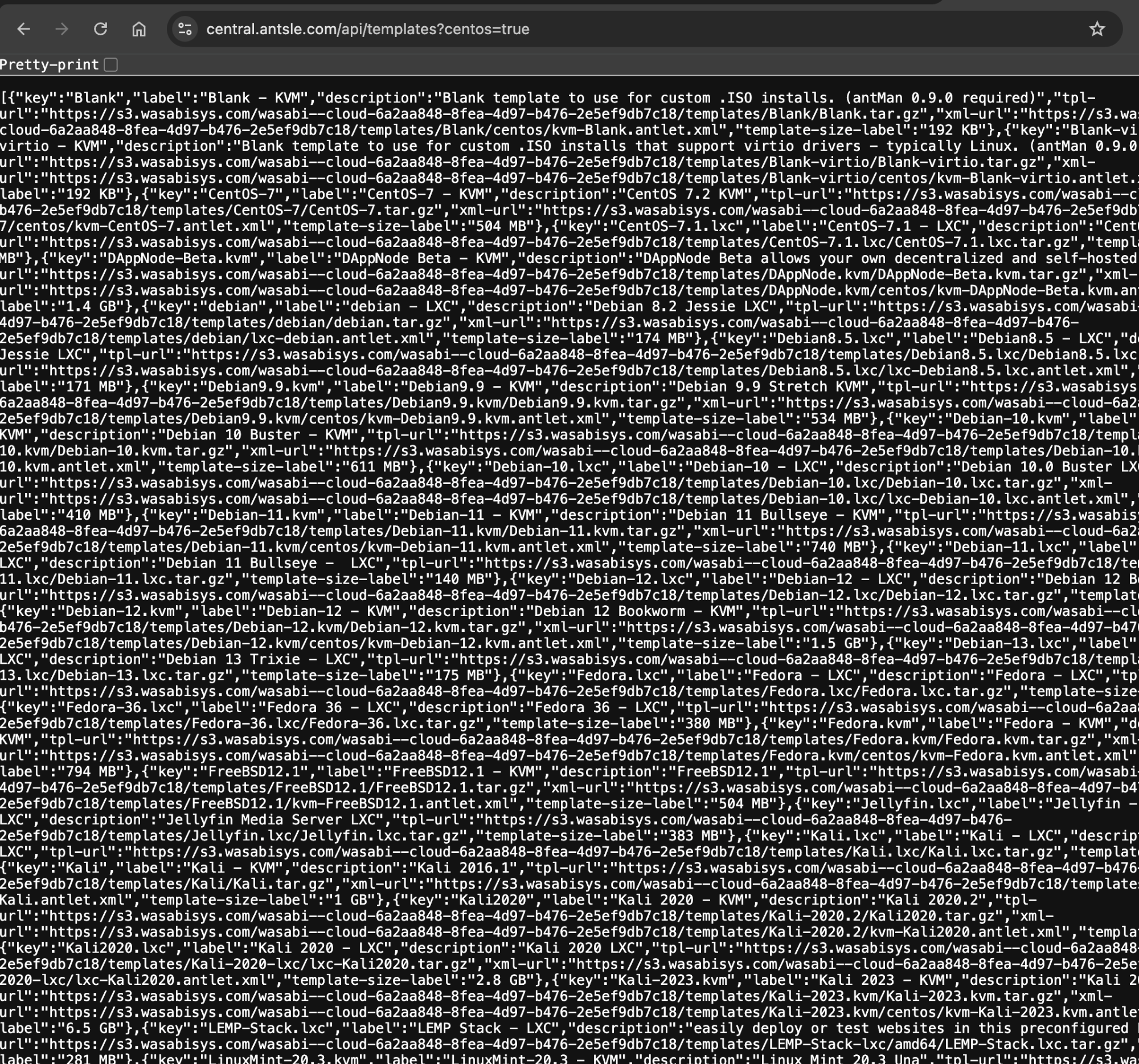
http://central.antsle.com/api/templates?centos=true in a new tab. You should see a long block of text. If it doesn't load, something between your browser and our server is blocking it, such as an ad blocker, Pi-hole/DNS filter, firewall or VPN. Allow central.antsle.com or try another browser, then go back to the Templates page.
- On the antsle itself (SSH), run:
curl -s "https://central.antsle.com/api/templates?centos=true" | head -c 300
The antsle needs this connection to do the actual download.
If the list is still empty, let us know what steps 2 and 3 showed, plus anything shown in red in the browser console (F12).
2. Importing self-managed backups
antMan 4 can do this. It's a beta feature and a bit tucked away:
- Put the backup file where the antsle can reach it: on the antsle itself (for example a folder under /root, or a mounted USB drive or NAS), or on another machine the antsle can SSH into with a key, no password prompt.
- Open an antlet in antMan. If you don't have one yet, create a small one from Blank – KVM. In its Backups panel, open the backup dropdown (disk icon) and choose Import Self-Managed backup (beta).
- Backup ID: the part of the file name between
backup_local_ and .zfs.gz. antMan looks for exactly backup_local_<ID>.zfs.gz.
Path: the folder that holds the file, without the file name.
SSH Host / Port: only if the file is on another machine, e.g. [email protected].
- Once you see "Backup successfully imported!", it shows up under Self-Managed, and you can restore it from there.
If your backup files are named differently, or you get an error, post the file name and the exact message, and we'll take it from there.
Screenshot attacheds. Seems everything has the correct access, the web UI just isn't recognizing it.


So.. I think I figured it out! There is something cached browser side thats causing it. When I opened the web-ui via incognito-mode, I can see all the templates, when I open it the browser that also had accessed antman 3.x before the upgrade, it shows the empty screen!
Great detective work, Eric! 🎉 Glad the templates are showing up for you now.
That fits perfectly: your browser was still holding on to cached antMan 3.x files for the same address. To make the regular (non-incognito) window behave too, clear the site data for your antsle's address once (in Chrome/Edge: click the icon left of the address bar → Site settings → Clear data; in Firefox: the padlock → Clear cookies and site data). After that, a normal reload should show the full template list.
We've also seen your ticket about the "Could not zfs clone for antlet" error when creating an LXC antlet and are looking into it. We'll follow up there.
Enjoy antMan 4!

